Python Installation on Windows OS
Python is a high-level programming language that has gained significant popularity owing to its ease of use, adaptability, and wide array of applications. The procedure for installing Python on the Windows operating system is quite straightforward and consists of several simple steps.
Download Installer
https://www.python.org/downloads/
Installation
After downloading the installer, initiate the installation process by double-clicking the .exe file, for example, python-3.12.6-amd64.exe, to open the Python installer.
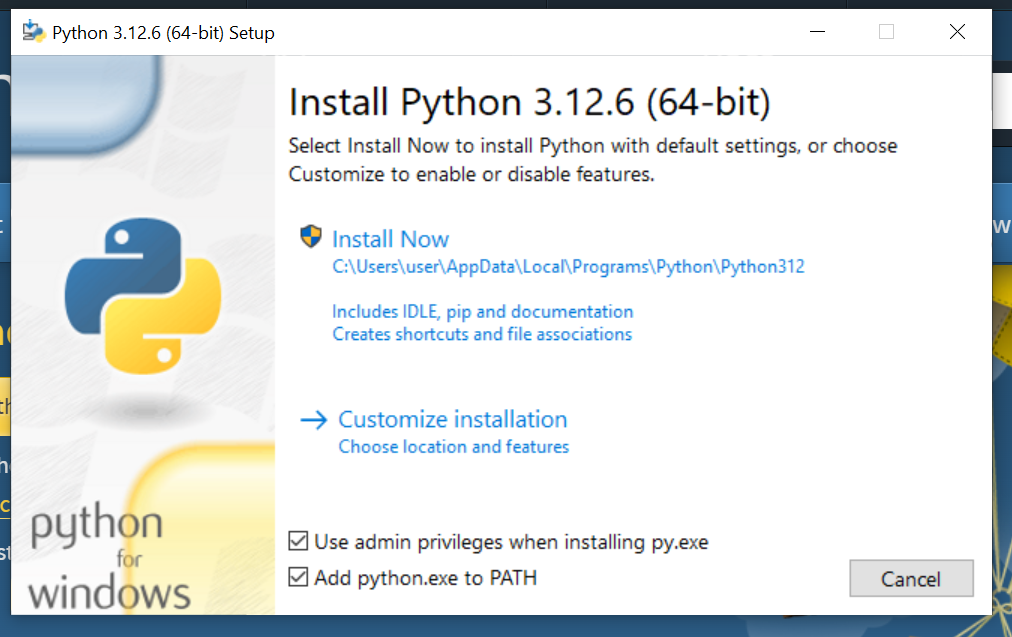
Click on
Install Nowby checkingAdd python.exe to PATHVerify the Installation
Open the command Prompt and type the following command
python --versionorpy --version
Use Visual Studio Code for better coding experience, you can download the VS code from https://code.visualstudio.com/download